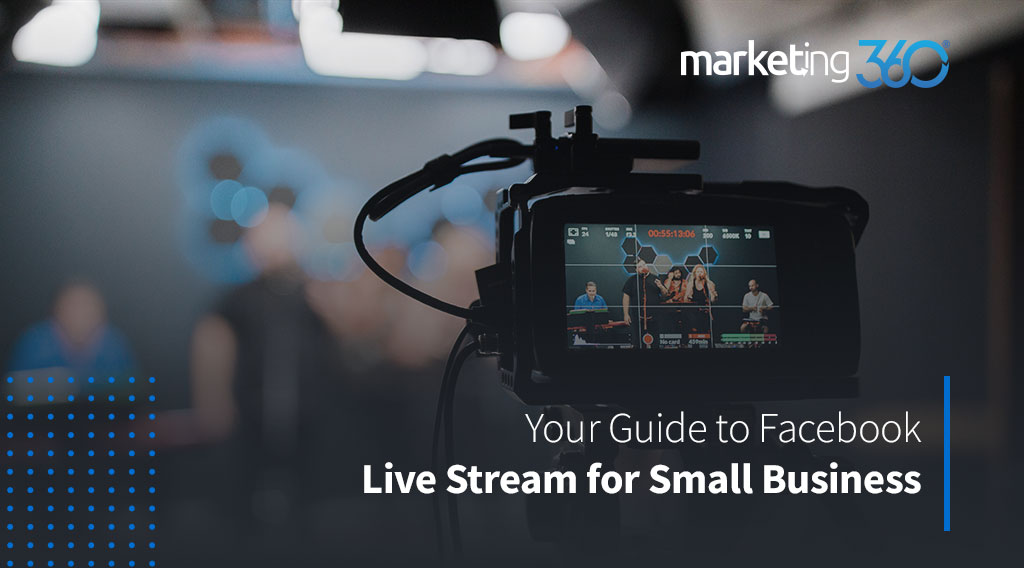
Your Guide to Facebook Live Stream for Small Business
Have you taken advantage of all the tools and services that Facebook offers to your business yet? Have you ever heard of or used Facebook Live to promote your products or services? If not, you may want to get started today.
What are the benefits of using Facebook Live for your business?
According to the data that Adelie Studios shared in 2016, businesses that had videos posted on social media got 41% more web traffic than non-users. Also, the business revenue grows 49% faster when they used video marketing.
Facebook is the largest social media platform where you can reach the majority of online audiences. Therefore, you can expand your brand awareness every time you go live on Facebook.
More than that, the real-time communication feature on Facebook Live will get you to connect closer to your customers and get more engagements from them. When you have a chance to interact directly with your customers, you can build a better relationship with them.
The platform is free for you and your customers to use, so we’re talking about the win-win situation on cost-saving here.
How do you set up and use Facebook Live?
Schedule an event for your business Facebook Live first so you can reach the most potential customers for your business.
The setup part is very easy, it may only take about two minutes. Make sure you’re on your business page and about to publish a post. But instead of choosing an image or writing a post, choose the Live Video Icon.
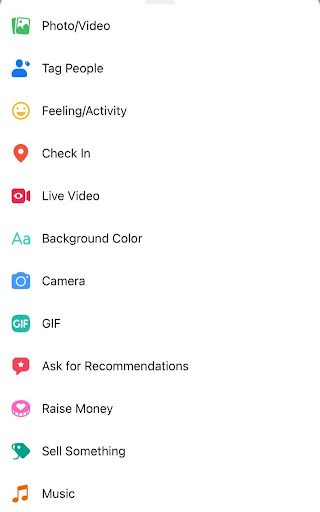
Then, you will have an option to write a description for your live-stream event to grab more attention from viewers. Click on the Live Video button again to make it viewable to everyone.
Don’t forget to introduce yourself and your company. Also, talk about the topic of the live event while waiting for more viewers to join the event.
During your live event, keep track of your audiences’ comments and reactions. You can ask and answer questions in real-time to get more interactions with your audiences.
Before you end the live event, don’t forget to mention the schedule of the next one and send your audiences the link to that event in the comments section. When it’s time to go, simply click the “Finish” button.
Remember to post your event so people can rewatch it and analyze your video performance.
Practice makes perfect! And Marketing 360®’s social media managers can help you get it right. See our plans and pricing.
Sources:
- https://www.slideshare.net/AdelieStudios/adelie-studios-top16videomarketingstatistics2016-56658453
- https://www.facebook.com/business/learn/lessons/use-facebook-live
Written by Thao Nguyen, Social Media Content Manager

After 10 years working in the hospitality industry, mostly as a sales and marketing representative, Thao made a major change this year to become a social media content manager at Madwire®. Moving from Saigon, Vietnam three years ago, she quickly adapted to American culture and lifestyle. She enjoys her new job every day with her teammates in the social media department. Besides work, Thao loves traveling, listening to music, cycling, yoga, and hanging out with her family, friends and her furry friends.