Tap to Pay Now Available using the Marketing 360® Mobile App
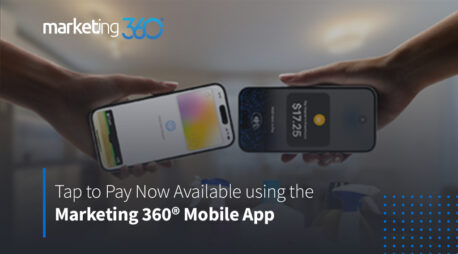
Now, Marketing 360® Payments Customers can accept one-time payments using Tap to Pay on the Marketing 360 Mobile App*.
This new feature, available on compatible iOS and Android devices, gives Marketing 360 customers another way to securely accept payments from our powerful Mobile App. Keep reading to learn more about this exciting new feature, and download the Marketing 360 Mobile App on the App Store and Google Play today.
Convenient transactions for today’s consumers
In today’s world, people value convenience. From free one-day shipping to the ability to get their favorite food on their doorstep in just a couple of taps, today’s consumers are used to getting what they want, and paying for goods and services, with ease.
Businesses that give their customers a convenient way to pay can get a step up from the competition while meeting their customers’ expectations for fast and frictionless transactions.
With Tap to Pay, businesses can accept many payment types with just a simple tap from physical credit and debit cards and other digital wallets,
The benefits of Tap To Pay using the Marketing 360 Mobile App

The benefits of using Tap to Pay extend far beyond just giving customers a convenient payment experience. With Tap to Pay and the Mobile App, businesses that perform services or sell goods on the go can enjoy an easy and secure way to accept payments, without having to lug around heavy equipment.
This can be beneficial for…
- Businesses that sell goods at conferences, farmers markets, expos and other onsite events
- Businesses that perform services on-location, like contractors, HVAC companies, tree services, landscapers, plumbers and more
- Mobile businesses, such as food trucks and coffee stands
- Businesses without a brick-and-mortar location
- And more
How to accept payments using Tap to Pay
To start accepting payments using Tap to Pay, first sign up for Marketing 360 Payments, connect your bank account and download the Marketing 360 Mobile App. Once you’re approved, you’re ready to start accepting payments via Tap to Pay.
To use the Tap to Pay feature, simply open the Mobile App and start a one-time payment via our one-time payments calculator. Then, select “Tap to Pay” as the way you’d like to receive the payment.

Once prompted, your customer will place their phone with their digital wallet open, or their physical card, where your phone says, “Hold Here to Pay.”

Once the transaction is complete, you’ll see a “Payment Successful” message, the option to start a new sale, save that card to a contact in your CRM or exit out of the one-time payment process.
Start accepting payments with ease today
Ready to start accepting payments on the go with Tap to Pay? Sign up for a Marketing 360 account and download the Marketing 360 Mobile App on the App Store or Google Play to take secure payment processing wherever your business takes you.
Have more questions about Tap to Pay? Contact our Payments team today at 855-462-3343.
*Available for US Customers. Tap to Pay on iPhone requires iPhone XS and later running iOS 16.0 and later. Available on compatible Android Devices. Location access must be enabled to accept payments.
*Updated on 05/12/2023 to reflect new Android Tap to Pay compatibility.