Product Update: Rate Your Google Local Services Ads Leads Directly in Marketing 360
Good news for all of you leveraging Google Local Services Ads (LSAs) through the Marketing 360 platform! We’re excited to announce a powerful new feature that’s going to make managing and optimizing your LSA lead quality much easier: the ability to rate your LSA Leads directly within Marketing 360.
This improvement is a game-changer for businesses in our Marketing 360 Google LSA program, as it builds a direct feedback loop with Google, helping to ensure you get the best possible leads for your business.
Why this matters
Simply put, this feature makes it easy for you to give Google direct, specific feedback on the quality of the leads you’re receiving from your Local Services Ads.
Think of it as actively training your LSA campaign. By telling Google which leads were high-quality and which weren’t, you are helping to optimize their ad targeting and ranking systems for your business.
Direct feedback: You get to tell Google exactly what you thought of a lead.
Optimization: This feedback helps Google refine who they show your ads to in the future.
Improved ROI: Over time, this optimization should lead to better lead performance and a stronger Return on Investment (ROI) for your ad spend.
How to rate your LSA leads
Rating a lead is fast and intuitive.
Locate the lead: Navigate to the Leads or Contacts section in Marketing 360.
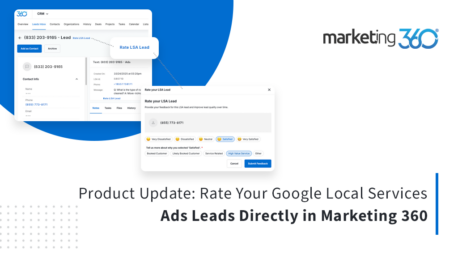
Click the link: Look for the ‘Rate LSA Lead’ hyperlink next to the lead name.
Select your rating: A window will pop up with rating options ranging from Very Dissatisfied to Very Satisfied, as well as Neutral and Unspecified.
Note: You only get one chance to rate a lead, so choose wisely! Once you’ve submitted a rating, the hyperlink will be greyed out.
What to expect when rating
While you can simply select Neutral or Unspecified without any further action, the real power comes from the specific ratings:

Very Dissatisfied, Dissatisfied, Satisfied, or Very Satisfied: Selecting any of these specific ratings will require you to make additional selections to provide Google with more context.
“Other”: If you select “Other” as your reason for a rating, Google requires you to submit written feedback. This is your opportunity to provide a detailed explanation.
Start getting more verified leads
Start taking advantage of this exciting new feature today! By actively rating your leads, you’re directly contributing to the future success and efficiency of your Local Services Ads campaign.
Ready to start getting more qualified leads? Learn more about our plans and pricing today.